News

Things are going to take shape and version 1.13.0 is heavily on the works. I guess it is a good time to speak a little bit of what will come in the future versions of Slide Effect…

Version 1.13 (estimated release date: May 2015)

This release will mainly introduce a new player for the presentations. I had to rewrite from scratch all the player part of Slide Effect because the old player was too limited for further enhancements (It was based on old, windows only technology). It is a big change, but it will add a lot of new features and possibilities for further releases.

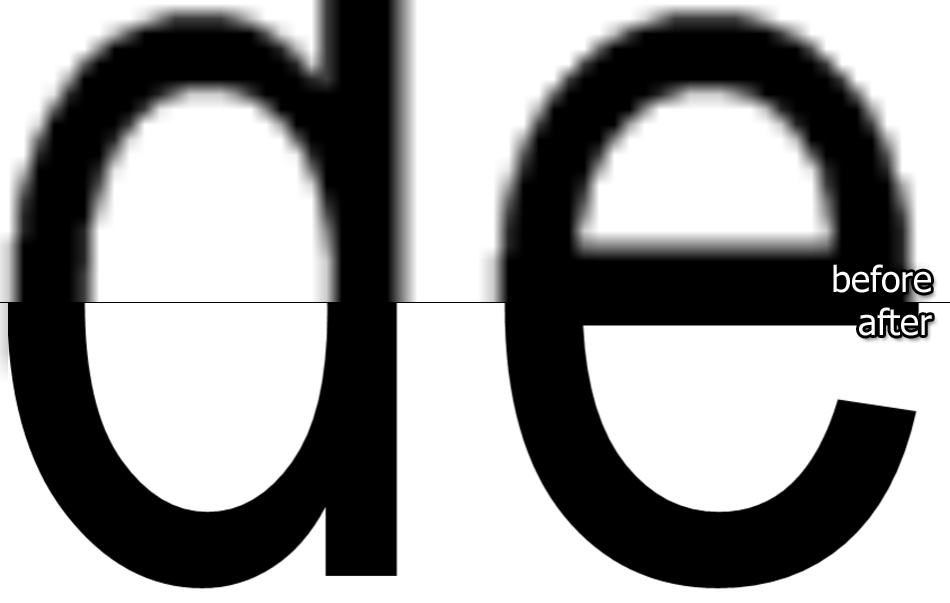
This new player will enhance the output quality (anti-aliasing), will render presentation to movies a lot faster than previously and will be able to handle more effects.

The big enhancement of 1.13 will be on effects and transitions: The effect system will change and you will be able to add several effects on the same time on any object. For example you can say you want an object to fade in and zoom and rotate as a start transition, then blink, rotate and jump as an animation.

To make this possible, I changed the Properties editor as you can show in this early screenshot:
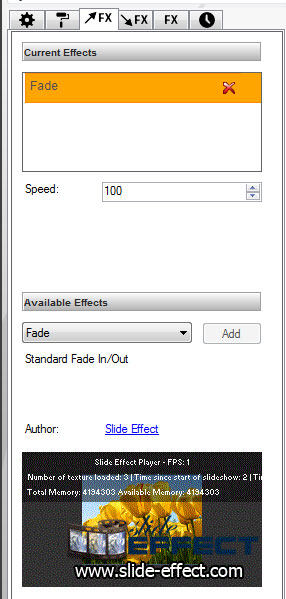
I added tabs to categorize properties. In the effect tab, you can add or remove any available effects. You can also preview the selected effect directly in the property tab (using an animated GIF).

Effects are not anymore bundled in the program and you will be able to download additional effects from our website.

The Professional Edition will feature an effect editor.
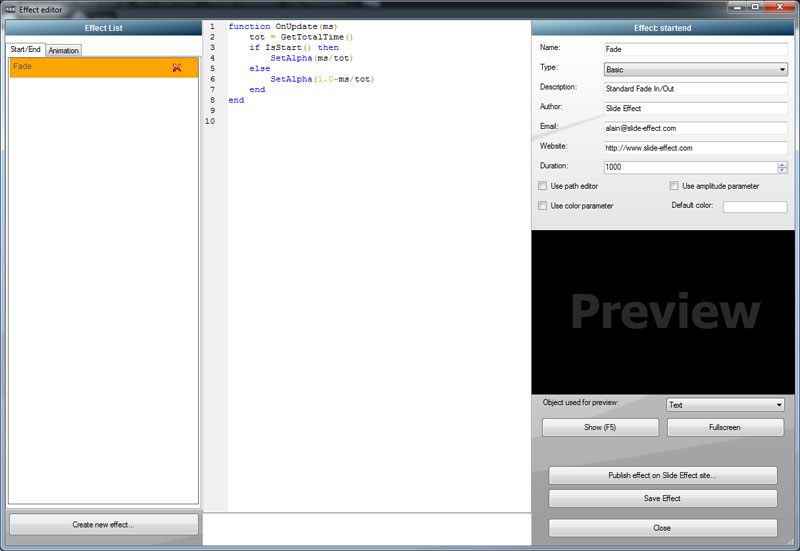
Everybody will be able to create or modify its own effect and even submit created effects to us and make it available for all other users.

The transitions will basically use the same editor and will also be editable, but it is not ready yet.

Version 1.14 (estimated release date: September 2015)

This release will probably feature an HTML5 export to be able to publish static presentations on the Internet. It may also be released also for Mac OSX (hopefully, but it may come in 1.15). The background part will be reworked to allow more flexibility and new effects.

It should add the possibility to add hyperlinks and buttons to navigate inside the presentation.

Version 1.15 (estimated release date: December 2015)

– Mac OSX version.
– Audio rework.
– New effects
– New transitions
– New backgrounds
– … more to come…

Well, basically that’s what planned for 2015. As usual, it is only an estimation and timeframe or features may change depending of customer feedback and development progress.. But I hope it gives you a clear overview of where Slide Effect is going for 2015.

Feel free to post feedback, suggestions or questions: I am always happy to hear from you!
We released today the version 1.12.4 of Slide Effect Presentation Software (Professional and Standard Editions).

It is a maintenance release with just a few small bug fixes.

In details:

  • Right to left text: Better handling of right to left characters (like Hebrew).
  • Unicode: Corrected an issue with some unicode characters not saved correctly.

Trial, Standard and Pro editions have been updated and are available for all registered customers (using “Product Updates” page). Existing users who want to upgrade to the Professional edition can check the upgrade page.

We released today the version 1.12.3 of Slide Effect Presentation Software (Professional and Standard Editions).

It is a maintenance release with just a few small bug fixes.

In details:

  • Background Templates: Corrected a small issue with some templates switching to Customizable instead of the correct standard template.
  • Italic/Bold texts: Corrected an issue with italic and bold changing without reasons.

Trial, Standard and Pro editions have been updated and are available for all registered customers (using “Product Updates” page). Existing users who want to upgrade to the Professional edition can check the upgrade page.

We released 7 new background add-ons for Slide Effect today!

  • Abstract backgrounds (5): 88 animated abstract backgrounds
  • Abstract backgrounds (6): 58 animated abstract backgrounds
  • Christmas backgrounds (2): 5 animated abstract backgrounds
  • Music backgrounds: 12 animated music backgrounds
  • Nature backgrounds (2): 42 animated nature backgrounds
  • Particles backgrounds: 49 animated particles backgrounds
  • Wedding backgrounds (2): 12 animated wedding backgrounds

You can download all these packages from our Add-Ons page for free.

We released today the version 1.12.2 of Slide Effect Presentation Software (Professional and Standard Editions).

It is a maintenance release with just a few small bug fixes.

In details:

  • Text 2D: Corrected a critical issue with empty texts.

Trial, Standard and Pro editions have been updated and are available for all registered customers (using “Product Updates” page). Existing users who want to upgrade to the Professional edition can check the upgrade page.

We released today the version 1.12.1 of Slide Effect Presentation Software (Professional and Standard Editions).

It is a maintenance release with just a few small bug fixes.

In details:

  • Movie Export: Corrected 2 critical bugs when exporting.
  • Memory Usage: We only use max 500Mb of memory for player.

Trial, Standard and Pro editions have been updated and are available for all registered customers (using “Product Updates” page). Existing users who want to upgrade to the Professional edition can check the upgrade page.

We released today the version 1.12.0 of Slide Effect Presentation Software (Professional and Standard Editions).

This release add some nice new features to Slide Effect:

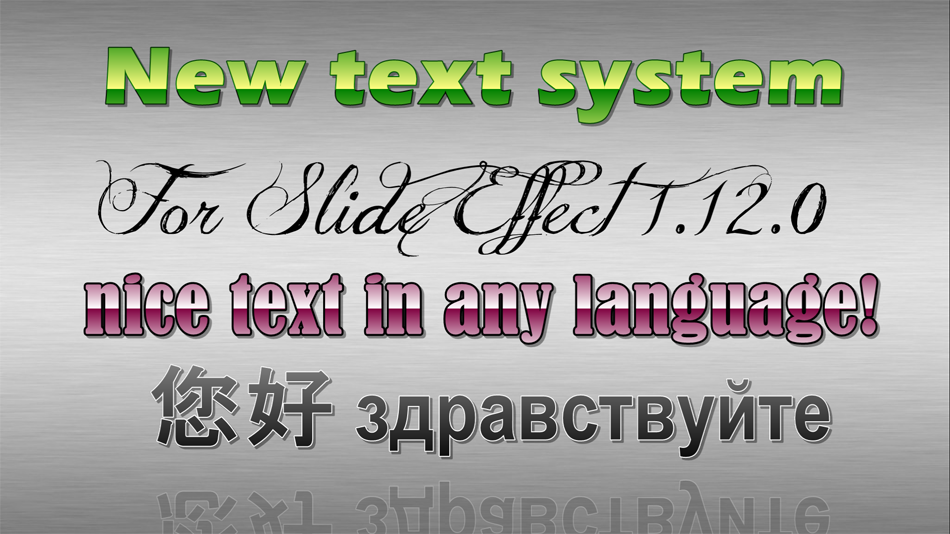
New Text System!

The text system of Slide Effect has been entirely reworked. The characters will render perfectly even for very big texts.

New Slide Effect text system
It is not anymore necessary to import a font before using it: All fonts installed on your computer will be available for Slide Effect automatically (you can now even preview the font before using it directly in the font combo). It means there is not anymore any font limitation in the Trial and Standard edition.

The fonts are not limited to “latin” characters now, it supports Unicode. You can now type any text in any language (Chinese, Hebrew,…).

That’s not all: we added several new features on the text rendering system and it is now possible to outline the fonts, add advanced gradients and use bold or italic fonts! Create cool looking texts in a few clicks.

Cute texts with Slide Effect!

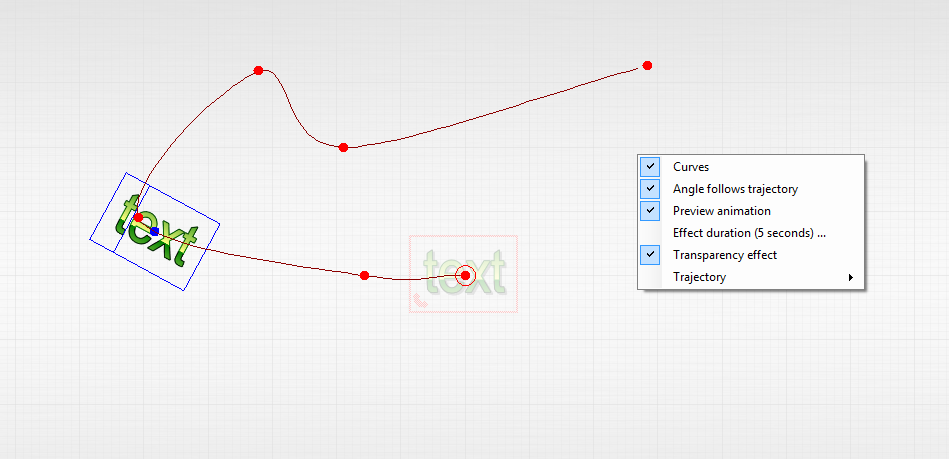
New “follow path” effect!

We added a new effect for every objects: “follow path”. Using this effect you can move any object where you want and following any trajectory. You can preview the animation directly in the interface.

Create advanced animations with Slide Effect!

And more to come!

This major upgrade is only the first one. We are actually already working on the next major upgrade that will introduce new effects, reworked background and transitions and a lot of new features. We are fully committed to Slide Effect and this next major upgrade should be delivered really soon (this Spring). Stay tuned.

Thanks for your continued support to Slide Effect, we appreciate.

Changes in details:

  • Player: Better handling of JPG pictures using “.jpeg” instead of “.jpg” extension.
  • Movie Import: Corrected an issue on some setup when importing movies (unable to get info from movie).
  • Main editor: Objects outside of the slide are now visible.
  • New Anim/Start/End effect: Follow path effect to move where you want objects.
  • Powerpoint: Now check if Powerpoint is already running when trying to import/export..
  • New Text System: Complete rewrite of the text system. Higher quality, not anymore needed to import fonts, outline, better gradient, etc…
  • Preview Window: is now bigger.
  • Font Combo: the font is now written using the target font.

Trial, Standard and Pro editions have been updated and are available for all registered customers (using “Product Updates” page). Existing users who want to upgrade to the Professional edition can check the upgrade page.

Christmas Discount

As the end of the year is near, we would like to thank all our customers and all our visitors for the continuous support these last years.

So, from today and until end of December, we started a massive Christmas Promotion.

Up to 50% discount on all our products!

In advance, we wish you all a Merry Christmas and a Happy New Year 2014!

We released today the version 1.11.2 of Slide Effect Presentation Software (Professional and Standard Editions).

This release contains some bug fixes, a better quality for movie and the possibility to change the volume of the presentation when running.

In details:

  • Movies: Changed maximum dimension to 1024 instead of 512 pixels.
  • Movies Export: Changed audio codec for MOV from AC3 to MP3.
  • Movies Export: Optimized export of embedded movies: now export only the visible part of the embedded movie.
  • Running Presentation: You can now set the volume and mute the sound of the running presentation.
  • Movie Playing: Corrected an issue when playing movies inside a presentation on a 16 bits colors mode desktop resolution.
  • Click Target on image: Removed, it was displayed by error on the previous version.
  • Movie export: Corrected a small issue when exporting as movie and using looped movies as background.
  • 2D Text edition: A vertical scrollbar is now displayed when the text id longer then the text box.
  • Window Position: Now we check if the stored window position is visible, if not, we display it on the default position.

Trial, Standard and Pro editions have been updated and are available for all registered customers (using “Product Updates” page). Existing users who want to upgrade to the Professional edition can check the upgrade page.

We released today the version 1.11.1 of Slide Effect Presentation Software (Professional and Standard Editions).

This release contains some bug fixes, and the possibility to change the opacity of movies.

In details:

  • 3D Fonts: Corrected an issue when a 3D string was using unsupported characters on the beginning or the end of the string with some effects.
  • Music synchronization on preview: Corrected an issue with the synchronization on some transition effects.
  • Template creation: Corrected an issue when using unsupported characters in the name of the template.
  • 3D Cube: Corrected a problem with cube color.
  • Movie Filter: Corrected a problem “Black as Transparent”, “White as Transparent” and “Green as Transparent”.
  • Advanced Movie Background: Corrected a speed problem when using more than one movie.
  • Movie Object: Added opacity setting.
  • Particles: Corrected an issue with particle effects when two backgrounds are the same.

Trial, Standard and Pro editions have been updated and are available for all registered customers (using “Product Updates” page). Existing users who want to upgrade to the Professional edition can check the upgrade page.