News

We released today the version 1.9.6 of Slide Effect Presentation Software (Professional and Standard Editions).

It is a maintenance release with just a few small bug fixes. It fixes mainly a problem when creating a very long movie with sound.

In details:

  • Delay and duration for objects: Not anymore limited to 100[s].
  • [PRO] PPT Import: Corrected a problem that may hang the application when a string contains only one character.
  • [PRO] PPT Import: The ratio of the presentation is not anymore automatically changed to 4:3 after importation: It is fixed according to the PPT presentation
  • Movie Export: Corrected a problem with the exported sound: an error was displayed in some rare situations. Fixed.
  • Movie Export: Sound export now uses a lot less memory. Should not anymore crash on low end computers when creating large presentations.
  • Self Executable Export: Did not add the music libraries in some cases. Fixed.
  • Basic Backgrounds: Background image is correctly displayed when set to “stretch” on non 4:3 formats.
  • Movie Export: When having movie and background sound in the same time, the global volume is set to 75% instead of 50% previously.

Trial, Standard and Pro editions have been updated and are available for all registered customers (using “Product Updates” page). Existing users who want to upgrade to the Professional edition can check the upgrade page.

We released today the version 1.9.5 of Slide Effect Presentation Software (Professional and Standard Editions).

It is a maintenance release with just a few small bug fixes.

In details:

  • Particles backgrounds: Fixed a problem when opening “Advanced settings” dialog when pictures have been selected but disabled and the tmp directory has been flushed.
  • Video Export: Looped movies were not looped when exporting as movies: it is now fixed.
  • Video Export: Looped backgrounds may leads to a “Memory Access Violation”: it is now fixed.

Trial, Standard and Pro editions have been updated and are available for all registered customers (using “Product Updates” page). Existing users who want to upgrade to the Professional edition can check the upgrade page.

We released today the version 1.9.4 of Slide Effect Presentation Software (Professional and Standard Editions).

It is a maintenance release with just a few small bug fixes.

In details:

  • Video Import: Fixed a problem on slow computers when importing a movie (the dimension of the movie was not correctly calculated).
  • Equalizer Background: Added a setting to change the amplitude of the equalizer.
  • Equalizer Background: Changed display of equalizer to be more accurate.
  • Video Export: Inner videos rendering is better now.
  • Video Export: Corrected a problem of aspect ratio with some aspect ratio and some resolutions that may hang the application.
  • Video Export: Corrected a problem with lossless movies.

Trial, Standard and Pro editions have been updated and are available for all registered customers (using “Product Updates” page). Existing users who want to upgrade to the Professional edition can check the upgrade page.

We released today the version 1.9.3 of Slide Effect Presentation Software (Professional and Standard Editions).

It is a maintenance release with just a few small bug fixes.

In details:

  • Video Background: Distorsions on High quality movie export has been fixed.
  • Video Objects: Fixed a problem when importing a movie with double extension, like “myvideo.avi.avi”.
  • Export Video: Added a “Customize” button to help customize presets.
  • Export Video: The “next” button is not anymore disabled until user choose a filename. Instead, it is enabled and display a popup if the filename is not set.
  • Export Video: In case of error, the standard error dialog is now displayed (with a possibility to send a feedback to developers).

Trial, Standard and Pro editions have been updated and are available for all registered customers (using “Product Updates” page). Existing users who want to upgrade to the Professional edition can check the upgrade page.

We released today the version 1.9.2 of Slide Effect Presentation Software (Professional and Standard Editions).

It is a maintenance release with just a few small bug fixes.

In details:

  • Corrected a problem when saving the project: File.Delete(_baseFile) sometimes throw an exception on some OS versions
  • Corrected a problem with thumbnails: Sometimes an exception is thrown when loading thumbnails from cache.
  • Corrected a problem with fur border: Sometimes a memory access violation was thrown.
  • Corrected a display problem with some transitions: Using 3D objects on some transitions, some offset was shown: it is fixed.
  • Video Playing: Sometimes a black frame was displayed at the end of the start transition: it is fixed.

Trial, Standard and Pro editions have been updated and are available for all registered customers (using “Product Updates” page). Existing users who want to upgrade to the Professional edition can check the upgrade page.

We released today the version 1.9.1 of Slide Effect Presentation Software (Professional and Standard Editions).

It is a maintenance release with just a few small bug fixes.

In details:

  • Screensavers: Screensaver export fixed(Added a file that was missing in 1.9.0).
  • Movie Objects: Movie playing error when browsing the presentation backward has been fixed.
  • Memory Management: Corrected a problem with memory management preventing the application to run on some computers.
  • Duplicate Slide on Trial edition: An error was displayed if user tried to duplicate a slide when the presentation has already 5 slides.

Trial, Standard and Pro editions have been updated and are available for all registered customers (using “Product Updates” page). Existing users who want to upgrade to the Professional edition can check the upgrade page.

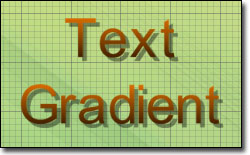
Text Gradient!

We released today the version 1.9.0 of Slide Effect Presentation Software (Professional and Standard Editions).

This version add a lot of new features and enhancements, in short:

Text Gradients

It is now possible to choose between plain color and a colored gradient for texts in the presentation.

Help file

The help file has been completely rewritten and is available in English and French. It contains a lot of informations, tutorials, FAQs on Slide Effect.

Borders for images and movies

You can now add a border for images and movies as well as choosing an outline width and color. Several frame are available like rounded corners, fur, broken lines, …

Ken Burns Effect

Ken Burns Effect!

This long awaited effect is now available. The Ken Burns effect is a popular name for a type of panning and zooming effect used in video production from still imagery.

It is available as Background effect, and as animation effect for movies and pictures.

Merge two presentations (Professional Edition)

You can now use a previous presentation or a set of slides from another presentation using the new functionality to merge two presentations. This feature is only available on Professional Edition.

Slide Thumbnails

Thumbnails!

Until now, the slide thumbnails on the left were static images depending of the template you chose when you created the slide. They are now completely dynamic and display the real content of each slides.

Project files are smaller

We worked a lot on optimizing the size of the project files and the output files generated by Slide Effect. They are now smaller than before (depending of the content, but for pictures it is possible to have a factor 15 reduction).

Shadow and reflexion effect now displayed on work area

Until now, when you chose to add a shadow or a reflexion to an object you had to launch the preview to check the result. From 1.9.0, these effects are displayed instantaneously on the work area.

Well that’s all… or not?

Besides these key points we added a lot of small enhancements to Slide Effect… in no particular order:

  • Total time of the presentation is now displayed on the main tab
  • Object animation have been reworked to blend smoothly between each others
  • Faster display of slides
  • Added Page Up/Page Down shortcut to browse rapidly the slides when editing
  • Added an option to assign random transitions to the whole presentation
  • New start/end/animation effects on several objects
  • Movie export is faster on recent hardware
  • Cube animation times can be customized
  • [Professional Edition] Position, Angle and Scale are now displayed and editable on the right property panel

Change in the upgrade policy

Until today, our upgrade policy was “all upgrades free until 2.0.0”. As we are now in 1.9.0 and to avoid too much question about that, we changed this policy to, basically, “all upgrades free for 1 year”.

What does it means? you’ll have one year of free updates from the date you purchase the software. At the end of the year, the software will obviously continue to work, but if you want to upgrade to the latest version, you’ll have to pay a small fee to get 1 more year of upgrades.

Existing customers who had purchased Slide Effect in the last 12 months will have 1 year of upgrades for free. Older customer will receive 6 months for free.

Get the new version!

Trial, Standard and Pro editions have been updated and are available for all registered customers (using “Product Updates” page). Existing users who want to upgrade to the Professional edition can check the upgrade page.

We released today the version 1.8.2 of Slide Effect Presentation Software (Professional and Standard Editions).

It is a maintenance release with just a few small bug fixes.

In details:

  • Browser: If the default browser is not found we use Internet Explorer, then, if not found we try with Firefox, and finally we do nothing.
  • Italian Translation: Corrected some texts.
  • Self Executable Export: Had some troubles with unicode characters used on internal filenames: it is fixed.
  • Movie Export: On old hardware, since 1.8.0 the exported movies are black: it is fixed.
  • Self Executable Export: Basic backgrounds with a foreground (for instance “Blackhole”) were not correctly exported. It is fixed

Trial, Standard and Pro editions have been updated and are available for all registered customers (using “Product Updates” page). Existing users who want to upgrade to the Professional edition can check the upgrade page.

We just released a new movie background package:

Looped Movies Backgrounds Free Background Movies Package: Looped Movies (2) contains 12 movies to use as background for your presentations.

This package is available for free on Add-Ons page for every users of Slide Effect Standard and Professional edition.

We released today the version 1.8.1 of Slide Effect Presentation Software (Professional and Standard Editions).

It is a maintenance release with just a few small bug fixes.

In details:

  • HD Export: Corrected a problem with the audio codec that leads to a conversion error.
  • Audio Export: When Play a sound was selected without any filename, the export wizard was displaying an error. This is fixed.
  • 2D Text: Corrected an issue when text was starting by a carrage return on some effects.
  • Version checker: A small popup is now automatically displayed if a new version is available.
  • Browser: We now use default browser when opening a URL instead of Internet Explorer.
  • Background Movie: Sound was lasting too long when exporting a looped movies in some cases.

Trial, Standard and Pro editions have been updated and are available for all registered customers (using “Product Updates” page). Existing users who want to upgrade to the Professional edition can check the upgrade page.